%20.png)
.png)
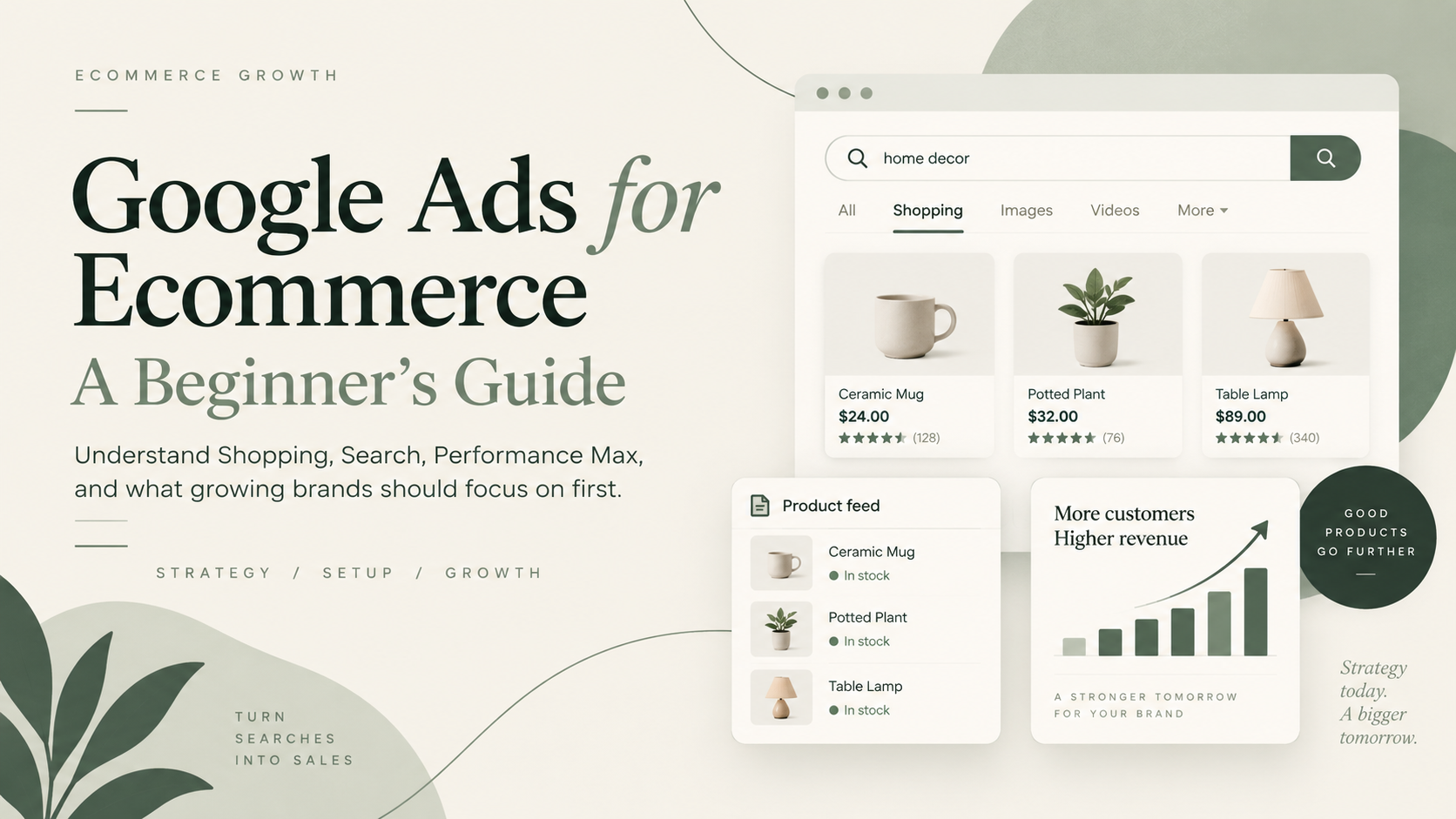
Google Ads can be one of the strongest acquisition channels for an ecommerce brand because it puts products in front of people who are already searching for something.
That last part matters.
Someone searching Google for “women’s waterproof hiking boots” is giving you a very different signal than someone scrolling past an ad between photos from friends.
They may not know your brand yet, but they have told Google what they are looking for.
For ecommerce businesses, Google Ads is largely about identifying that demand, presenting the right products, and deciding how much you can afford to pay to capture it.
The platform itself can get complicated quickly. Search campaigns, Shopping ads, Performance Max, Merchant Center, bidding strategies, conversion tracking, product feeds, brand campaigns, and attribution all enter the conversation.
You do not need to understand all of them on day one.
You do need to understand how the pieces fit together.
What is Google Ads for ecommerce?
Google Ads is Google’s paid advertising platform.
For ecommerce brands, it can be used to promote individual products, product categories, or the brand itself across Google properties including Search, Shopping, YouTube, Gmail, Maps, Discover, and other inventory.
For many ecommerce businesses, the most important areas to understand first are:
- Google Shopping
- Performance Max
- Google Search
- Merchant Center
- Conversion tracking
They do different jobs.
Traditional Search campaigns use keywords and other campaign inputs to help determine when text ads appear.
Shopping works differently. Google says Shopping ads use the product data stored in Merchant Center, rather than keywords, to decide how and where products should appear. Google's guide to Shopping ads
That distinction is one of the most important things to understand about ecommerce Google Ads.
Your product catalog is not just sitting behind the advertising. It is one of the inputs powering it.
How does Google Ads work for an ecommerce store?
Imagine you sell premium stainless-steel cookware.
A potential customer searches:
“12 inch stainless steel frying pan”
Your product could appear in a Shopping placement showing information such as:
- product image
- product title
- price
- store name
- promotional information where applicable
Your business might also appear through a text Search ad.
Google says Shopping ads give users product information before they click, which can help merchants attract shoppers who already have a better understanding of the product and price. Read Google's explanation of Shopping ads
That is part of what makes Google particularly interesting for ecommerce.
The shopper may already have meaningful commercial intent.
The real business question is what happens after Google earns the click:
Does that visitor become a profitable customer?
The four parts of ecommerce Google Ads to understand first
1. Google Merchant Center
If you sell physical products, Google Merchant Center is foundational.
Merchant Center contains information about your products, including attributes such as:
- title
- description
- price
- availability
- brand
- product identifiers
- images
- shipping information
Google uses this information to understand what you sell and match products to relevant customer searches. Google recommends providing accurate, comprehensive, and current product data because that information helps it show products for relevant queries. Google's product data quality guidance
For Shopify brands, the Google & YouTube sales channel can automatically sync products and relevant store information with Merchant Center. Shopify also allows merchants to connect Google Ads and Google Analytics through the integration. Shopify's Google & YouTube setup guide
That sounds like technical plumbing.
It is considerably more important than plumbing.
If Google receives incomplete, inaccurate, or poorly structured product information, your advertising starts with weaker inputs.
Related: Google Merchant Center Optimization: A Practical Ecommerce Checklist
2. Google Shopping ads
Shopping ads are particularly valuable for ecommerce because they put the actual product into the search experience.
Instead of only seeing a text advertisement, the shopper can see the item, price, merchant, and other relevant information before visiting the website.
That makes Shopping especially useful when someone demonstrates clear product intent.
A shopper searching:
“men’s black leather Chelsea boots”
can start comparing actual products before clicking.
Google generates Shopping ads using product information submitted through Merchant Center. Google's Shopping ads documentation
That means three things are closely connected:
The search.
The product data.
The product itself.
A good Google Shopping strategy pays attention to all three.
Related: Google Shopping Ads: How They Work for Ecommerce Brands
3. Performance Max
Performance Max is Google’s goal-based campaign type that can run across Google inventory including Search, Shopping-related inventory, YouTube, Display, Gmail, Discover, and Maps.
Google positions Performance Max as complementary to keyword-based Search campaigns and uses Google AI to optimize around the conversion goals and inputs provided by the advertiser. Google's Performance Max overview
For ecommerce retailers, Performance Max can use products from Merchant Center.
You provide inputs such as:
- products
- budget
- conversion goals
- creative
- campaign settings
- audience signals where useful
Google automates a substantial amount of bidding, delivery, audience, and placement decision-making.
That automation does not mean the advertiser has nothing left to do.
You still need to decide:
- which products deserve investment
- which conversion actions matter
- whether tracking is trustworthy
- what customer acquisition cost the business can afford
- whether the product feed is strong
- whether the creative is compelling
- whether landing pages convert
- whether advertised products have acceptable margins
Performance Max automates a lot of media execution.
It does not understand your P&L better than you do.
Related: Performance Max for Ecommerce: What It Is and When to Use It
4. Google Search campaigns
Search campaigns let advertisers show text ads when people search Google.
For ecommerce brands, Search can be useful for:
- brand searches
- category searches
- high-intent product searches
- problem-based searches
- selected competitor searches
- queries that Shopping does not cover effectively
Suppose you sell supplements designed for older dogs.
Shopping may be a good fit for a search such as:
“joint supplements for dogs”
Search advertising might also let you address queries around the underlying problem or product category.
The customer intent may be different, which means the role of the campaign should be different too.
A strong ecommerce account does not necessarily choose Shopping or Search.
It determines what job each should do.
Why Google Shopping deserves special attention
For many ecommerce brands, Shopping is where Google becomes particularly interesting.
That is because product data and commercial intent come together.
Google says Shopping ads use Merchant Center product data rather than traditional keyword targeting to determine how and where products appear. Product-focused campaigns rely on attributes such as price, availability, and other product information to understand what is being sold. Google's explanation of product data in Ads
That creates an important consequence:
Feed optimization is advertising optimization.
Imagine two retailers sell similar running shoes.
One product title is:
Men’s CloudRun 4
Another is:
CloudRun 4 Men’s Cushioned Road Running Shoes – Navy
Assuming both accurately describe the product and comply with Google’s requirements, the second gives substantially more context about what is actually being sold.
Product titles are only one part of the feed, but the principle applies across the catalog.
Google needs useful product information to make useful matches.
Related: Google Shopping Feed Optimization: What Actually Improves Performance
What is a Google Shopping product feed?
A product feed is the structured product information supplied to Merchant Center.
It tells Google what products you sell and gives the platform attributes it can use to understand them.
A simplified product record might include:
Product: Trail Running Shoe
Brand: Example Brand
Price: $129
Color: Black
Size: 10
Availability: In stock
GTIN: Product identifier
Product category: Running Shoes
For Shopify merchants, the Google & YouTube channel can synchronize products and relevant store information with Merchant Center. Shopify says merchants can then update the Google product feed from Shopify. Shopify's Google & YouTube documentation
At scale, these attributes become increasingly important.
A retailer with 5,000 SKUs has a very different Google Ads problem from a company selling six products.
The product feed becomes part catalog, part advertising input, and part merchandising system.
Do you need Google Ads if you use Shopify?
Shopify and Google Ads solve different problems.
Shopify provides the ecommerce infrastructure where customers browse and buy.
Google Ads helps businesses reach potential customers.
Shopify’s Google & YouTube channel can connect the store to Merchant Center, Google Ads, and Google Analytics. Eligible products synced through the channel may also qualify to appear in free Google listings. Shopify's Google & YouTube setup instructions
So the useful question is not:
Does a Shopify store need Google Ads?
It is:
Does Google contain enough relevant demand that acquiring some of it could be profitable for this business?
For many established ecommerce categories, the answer is yes.
For others, customer demand may need to be created before it can be captured.
That difference should influence channel strategy.
How much should an ecommerce brand spend on Google Ads?
There is no responsible universal number.
You will find plenty of advice suggesting ecommerce businesses should spend a particular percentage of revenue on advertising.
That is usually too simplistic.
How much a business can afford to spend depends on factors including:
- average order value
- gross margin
- contribution margin
- conversion rate
- customer acquisition cost
- repeat purchase behavior
- available search demand
- inventory
- cash flow
- growth objectives
Imagine two brands both generate a $100 order.
Brand A has $65 of contribution available before advertising.
Brand B has $20.
They cannot rationally afford the same acquisition cost simply because their revenue is identical.
Your budget should follow the economics.
Not the other way around.
Related: How Much Should an Ecommerce Brand Spend on Paid Advertising?
What metrics should ecommerce brands watch in Google Ads?
Beginners naturally gravitate toward ROAS.
ROAS is useful.
It is not sufficient.
For an ecommerce business, the important metrics usually extend beyond what appears in a single Google Ads column.
Revenue
How much attributed sales value is the channel generating?
ROAS
Return on ad spend compares attributed revenue against advertising spend.
If $10,000 in spend generates $40,000 in attributed revenue, the reported ROAS is 4x.
Customer acquisition cost
How much does it cost to acquire an actual new customer?
That can tell a different story from total attributed revenue.
Conversion rate
What percentage of relevant sessions become orders?
If acquisition gets more expensive, improving conversion can materially change what the business can afford to pay for traffic.
Average order value
How much revenue does the average order generate?
Contribution margin
After product costs and other variable expenses, how much money is actually available to support acquisition and profit?
New customer revenue
How much revenue is coming from customers the business is acquiring rather than existing customers buying again?
Shopify’s marketing reporting includes metrics such as sales, sessions, orders, conversion rate, AOV, ROAS, acquisition cost, first-time customers, and returning customers. Shopify's marketing performance documentation
That is a useful reminder:
Google Ads should be evaluated in the context of the ecommerce business, not only inside Google Ads.
Related: What Is ROAS in Ecommerce?
Related: Ecommerce Customer Acquisition Cost: How Much CAC Can You Actually Afford?
Why Google Ads and Shopify may report different revenue
This surprises almost every beginner eventually.
Google Ads says one number.
Shopify says another.
Neither platform necessarily has to be broken.
Attribution systems can assign credit differently.
Consider this customer journey:
- A customer clicks a Google Shopping ad.
- They leave without purchasing.
- They see a Meta ad several days later.
- They search the brand name on Google.
- They eventually return and buy.
Which marketing interaction generated the sale?
There is one transaction.
There were several marketing touchpoints.
Shopify itself supports multiple attribution models in its marketing reporting and recommends looking at customer journeys from more than one perspective. Shopify's guide to marketing attribution and performance
That is why channel reporting should sit alongside business-level metrics such as total revenue, total ad spend, CAC, new-customer growth, and contribution margin.
Related: Ecommerce Attribution: Why Google Ads, Meta and Shopify Never Agree
Common Google Ads mistakes ecommerce brands make
Treating every product equally
Products have different:
- margins
- conversion rates
- inventory
- return rates
- AOVs
- repeat purchase behavior
- customer value
It rarely makes sense to assume every SKU deserves the same advertising investment.
Google’s current product reporting gives retailers a centralized view of product-level performance across Merchant Center-linked campaigns, making it easier to see how individual products are actually performing. Google's product reporting documentation
Ignoring Merchant Center
If Shopping matters, Merchant Center matters.
Product disapprovals, inaccurate attributes, stale inventory, weak titles, and poor product data can constrain advertising before bidding strategy even enters the conversation.
Optimizing only for ROAS
A high ROAS can look impressive while customer growth stalls.
The account may be benefiting from existing brand demand or repeat customers rather than finding enough incremental new buyers.
A strong ROAS is useful.
It is not permission to stop asking questions.
Scaling the budget before fixing conversion
If qualified traffic reaches a weak product page, buying more traffic simply buys more exposure to the problem.
Paid acquisition and conversion rate are connected.
Related: Ecommerce Conversion Rate Optimization: What CRO Is and Why It Matters
Overcomplicating campaign structure
More campaigns do not automatically create more control.
Complexity should solve an actual problem.
If two groups of products have essentially identical economics, objectives, and budget requirements, separating them simply to create a more elaborate account may accomplish very little.
Changing campaigns constantly
Google’s automated systems need enough data to optimize.
Google currently advises Performance Max advertisers to give campaigns time to learn and cautions against frequent major changes during the initial learning period. Google's Performance Max setup guidance
That does not mean you should never change the campaign.
It means changes should have a reason.
What should an ecommerce beginner set up first?
For an established Shopify store, a practical starting sequence often looks like this.
Step 1: Make sure the store can convert
Do not expect paid traffic to rescue a fundamentally weak buying experience.
Review:
- product pages
- navigation
- mobile experience
- shipping proposition
- reviews
- checkout
- product positioning
- offer
If the website struggles to turn qualified traffic into customers, advertising will expose that problem quickly.
Step 2: Establish reliable conversion measurement
Make sure purchases and revenue values are being tracked properly.
The bidding system needs a useful objective.
So does the person making decisions about the account.
Step 3: Set up Merchant Center
Connect the product catalog and resolve obvious account, product data, or policy problems.
Google requires retailers using Shopping campaigns or Performance Max with a Merchant Center feed to maintain product data that meets its requirements. Google's Shopping ads requirements
Step 4: Improve the product feed
Review:
- titles
- descriptions
- identifiers
- images
- prices
- availability
- important product attributes
This is not busywork.
The feed helps Google understand what it is being asked to advertise.
Step 5: Start with commercially relevant demand
For many ecommerce retailers, product-led campaigns and selective Search are logical places to begin.
The exact mix depends on the category and business.
Step 6: Understand branded versus non-branded demand
Customers already searching your company name are different from customers discovering you through a generic product search.
Do not let strong branded performance hide weaker customer acquisition elsewhere.
Related: Branded vs Non-Branded Google Ads: How Ecommerce Brands Should Measure Them
Step 7: Analyze products individually
Do not stop at campaign averages.
Look at which products:
- consume budget
- generate conversion volume
- have attractive margins
- have inventory
- create strong first orders
- appear to attract valuable customers
The product is part of the advertising strategy.
Step 8: Increase spend when the economics justify it
Scale because there is evidence that additional spend can acquire worthwhile customers.
Not because a generic benchmark says your advertising budget should be larger.
Is Google Ads right for every ecommerce brand?
No.
Google Ads tends to be especially attractive when:
- customers already search for the product or category
- products are commercially competitive
- margins can support paid acquisition
- the website converts reasonably well
- product information is strong
- inventory can support more demand
- the business has enough budget to generate useful data
It can be harder when:
- the category is unfamiliar and search demand barely exists
- margins are extremely thin
- conversion rate is poor
- customers need extensive education before understanding the product
- the business cannot support enough spend to generate meaningful learning
In those situations, the biggest growth opportunity may sit somewhere else.
That is an important part of paid growth strategy.
Sometimes the right Google Ads recommendation is not “spend more on Google Ads.”
Google Ads should be managed as part of the ecommerce business
Google Ads can feel complicated because there are so many settings, campaign types, reports, and recommendations.
The beginner version is simpler.
Google is trying to connect demand with products.
Your job is to make sure:
- Google understands what you sell
- the right products receive investment
- advertising leads to a compelling buying experience
- conversion tracking gives Google useful signals
- customer acquisition costs fit the economics of the business
- additional spend produces worthwhile growth
Campaign settings matter.
But they sit inside a much larger system.
Product data matters.
Conversion rate matters.
Average order value matters.
Margins matter.
Merchandising matters.
The offer matters.
That is why the best ecommerce Google Ads strategy is rarely just a Google Ads strategy.
Ready to make Google Ads a more predictable growth channel?
Wild Mushroom helps ecommerce brands move beyond simply running campaigns and figure out where paid growth can actually come from.
We manage Google Ads in the context of the business: Shopping and Performance Max, Merchant Center and product feeds, product-level performance, conversion rate, customer acquisition economics, merchandising, and where the next dollar should go.
If your ecommerce brand has proven demand but Google Ads still feels inconsistent, difficult to scale, or harder to understand than it should be, explore Wild Mushroom’s Google Ads management for ecommerce brands.
Built for what grows next.